Design Tools Product List and Ranking from 7 Manufacturers, Suppliers and Companies | IPROS

Last Updated: Aggregation Period:May 27, 2026~Jun 23, 2026
This ranking is based on the number of page views on our site.

Design Tools Manufacturer, Suppliers and Company Rankings

Last Updated: Aggregation Period:May 27, 2026~Jun 23, 2026
This ranking is based on the number of page views on our site.

  1. aeco light Tokyo//Interior Design
  2. ミューテック Kanagawa//Facility Design Office
  3. モデロン Tokyo//Information and Communications
  4. エー・アイ・エフシステム開発 Kyoto//Information and Communications
  5. null/null

Design Tools Product ranking

Last Updated: Aggregation Period:May 27, 2026~Jun 23, 2026
This ranking is based on the number of page views on our site.

  1. Lighting design support tool 'CHUBIC' aeco light
  2. Form design tool "xmlFormDesigner 5" エー・アイ・エフシステム開発
  3. Motor design tool 'μ-Excel Motor Characteristics Edition' *Video now available ミューテック
  4. Simulation model "Fuel Cell Library" モデロン
  5. fixturemate

Design Tools Product List

1~8 item / All 8 items

Displayed results

.dwg-based electrical design tool "BJ-Electrical"

It is a .dwg-based electrical CAD application that is also optimal as an entry-level model for electrical design CAD.

"BJ-Electrical" is an affordable, high-functionality .dwg-based electrical design CAD application. With excellent operability and high cost performance, it significantly improves design efficiency. It is compatible with Zuken Alpha Tech's electrical and control design CAD system "ACAD-DENKI," making it ideal as an entry-level model for electrical design CAD. ■Features■ ▼It can streamline electrical design. - Excellent operability based on BricsCAD and AutoCAD - Provides necessary drawing functions such as rich wiring input features, symbol creation, and attribute input ▼You can gradually step up to full-scale electrical design. - Upgrade to the electrical design CAD "ACAD-DENKI" (for a fee) is also possible. - It is also optimal as an entry-level model for electrical design CAD at a reasonable price. *For more details, please refer to the PDF materials or feel free to contact us.

  • others
  • Design Tools

Added to bookmarks

Bookmarks list

Bookmark has been removed

Bookmarks list

You can't add any more bookmarks

By registering as a member, you can increase the number of bookmarks you can save and organize them with labels.

Free membership registration

3DCAD Semiconductor Industry Case Study "Design to Productization of Semiconductor Inspection Equipment"

Completed design to product launch in just six months! Introducing a case study of a semiconductor inspection device utilizing 3DCAD 'CreatorVenture'.

To create better products, it is necessary to prototype repeatedly. The most important aspect during the prototyping stage is the two-way communication between designers and manufacturers. While it is essential to consider the selection of processing methods, costs, and delivery times, it is also necessary to confirm whether the design can be processed as the design progresses. This "concurrent network" is extremely important. At the center of this is the new 3D design tool "CreatorVenture" developed by Kubotec Corporation. The company's inspection devices are already widely used in various generations and types of manufacturing lines for LCDs, organic ELs, etc., with over 1,000 units currently in full operation. Based on the technology cultivated there, they have also entered the field of semiconductor inspection devices as a new business. ■Features of CreatorVenture 1. Direct modeling 2. Hybrid modeling 3. Concurrent design *For more details, please refer to the PDF materials or feel free to contact us.

  • Drawing, tracing, CAD
  • Other CAD
  • Design Tools

Added to bookmarks

Bookmarks list

Bookmark has been removed

Bookmarks list

You can't add any more bookmarks

By registering as a member, you can increase the number of bookmarks you can save and organize them with labels.

Free membership registration

Software "MockFlow"

As easy as a whiteboard! Enhance your design using coded components.

"MockFlow" is a tool for managing product design. With an interface as easy as a whiteboard, you can brainstorm UI without training. You can choose a wireframe style. Build user UIs using customer journeys and user personas. Quickly create an overview of your website using a powerful sitemap tool. 【Features】 ■ Brainstorm UI without training thanks to a practical interface ■ Immediate access to hundreds of UI kits created by design teams ■ Custom CSS is possible ■ Face-to-face collaboration is possible ■ Enhance designs using coded components *For more details, please refer to the related links or feel free to contact us.

  • Company:B7
  • Price:Other
  • Other Software
  • Design Tools

Added to bookmarks

Bookmarks list

Bookmark has been removed

Bookmarks list

You can't add any more bookmarks

By registering as a member, you can increase the number of bookmarks you can save and organize them with labels.

Free membership registration

Form design tool "xmlFormDesigner 5"

Completed the report output tasks in a short time.

"xmlFormDesigner 5" is a form design tool that can cover all types of forms for businesses. Since it allows you to define form designs without programming, you can complete form output tasks in a short time. Please feel free to contact us if you have any requests. 【Features】 ■ No programming is required for form design or output ■ Form design information is saved in XML format ■ Preview display/printing from the CSV file used for printing and the designed XML form template *For more details, please download the PDF or feel free to contact us.

  • Electronic document system
  • Design Tools

Added to bookmarks

Bookmarks list

Bookmark has been removed

Bookmarks list

You can't add any more bookmarks

By registering as a member, you can increase the number of bookmarks you can save and organize them with labels.

Free membership registration

Lighting design support tool 'CHUBIC'

A one-stop tool that changes the hassle of lighting. It automates tedious tasks.

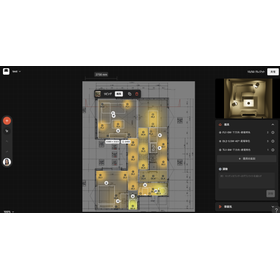
"CHUBIC" is a lighting design support tool developed by our company for construction companies. It provides comprehensive support from the creation of lighting plans, including the selection of lighting fixtures and automatic illuminance calculations, to the purchase of fixtures. No specialized knowledge or software downloads are required; anyone can use it in a browser by simply registering basic information. It allows in-house creation of plans and management of fixtures, completing tasks that typically take more than three days in an average of one hour. 【Features】 ■ Continuous updates of the digital catalog of lighting fixtures - Users can select suitable lighting fixtures from a wide range of options through simple filter searches. ■ Automatic illuminance calculations - CHUBIC has a function that visualizes the illuminance of lighting, making it easy to check and adjust the required illuminance when creating lighting plans. *For more details, please download the PDF or feel free to contact us.

  • Architectural Design Software
  • Design Tools

Added to bookmarks

Bookmarks list

Bookmark has been removed

Bookmarks list

You can't add any more bookmarks

By registering as a member, you can increase the number of bookmarks you can save and organize them with labels.

Free membership registration

Motor design tool 'μ-Excel Motor Characteristics Edition' *Video now available

An easy-to-use, low-cost analysis software based on Excel. A subscription is also available for 9,800 yen per month (excluding tax).

The "μ-Excel Motor Characteristics Edition" is an easy-to-use motor design tool that can output the static characteristics of motors, including torque-speed and current curves, as well as torque-output and efficiency curves. You can easily create motor models using model templates. It calculates the torque constant from finite element method results and outputs characteristic curves. We also offer a subscription service available for 9,800 yen per month (excluding tax). We encourage you to consider implementing it! 【Do you have any of these concerns in motor design?】 - It seems difficult to master the software - Creating motor models is cumbersome - I think finite element method calculations are necessary - The cost of software implementation is a high hurdle - I would like consulting services as well 【With μ-Excel Motor Characteristics Edition!】 ■ You can perform calculations using familiar Excel operations ■ You can easily create motor models with model templates ■ It accurately calculates magnetic field distribution through finite element method magnetic field analysis ■ You can use the subscription service for 9,800 yen per month (excluding tax) ■ We provide backup by partnering with motor design professionals

  • Other Software
  • Design Tools

Added to bookmarks

Bookmarks list

Bookmark has been removed

Bookmarks list

You can't add any more bookmarks

By registering as a member, you can increase the number of bookmarks you can save and organize them with labels.

Free membership registration

Simulation model "Fuel Cell Library"

Easily usable in any fuel cell application domain!

The "Fuel Cell Library" provides design tools for components and systems of a wide range of fuel cell systems. It offers over 70 diverse components that can model pre-reformer reactors, fuel cell stacks, and complete systems. All elements necessary for full system modeling are included and are based on mathematical descriptions of physical phenomena. 【Features】 ■ Efficient use of the same tool for system and component design ■ Easily applicable in any field where fuel cells are used ■ Detailed studies for analyzing transient behavior and design design ■ Capable of handling reforming and other media ■ Easy to reuse models and integrate with other libraries *For more details, please refer to the PDF materials or feel free to contact us.

  • Other Software
  • Scientific Calculation and Simulation Software
  • others
  • Design Tools

Added to bookmarks

Bookmarks list

Bookmark has been removed

Bookmarks list

You can't add any more bookmarks

By registering as a member, you can increase the number of bookmarks you can save and organize them with labels.

Free membership registration